What is HRMS

An HRMS (Human Resource Management System) is software that brings core HR processes, employee records, payroll, attendance, recruitment, and performance management, together in one platform instead of scattered spreadsheets and separate tools. It’s the term most vendors selling to Indian businesses actually use, whether the product is technically closer to a basic HRIS or a broader HCM suite. For the precise technical distinction between those terms, see our guide to what an HRIS is.
Core Modules of an HRMS
Core HR: the central employee database, records, documents, and organizational structure everything else builds on.
Payroll: salary processing, statutory deductions, and payslip generation, covered in depth in our payroll software guide.
Time and attendance: clock-in/out, leave management, and shift tracking, feeding directly into payroll. See our time and attendance software guide for more.
Recruitment and onboarding: job postings, applicant tracking, and new-hire document collection, covered in our recruitment software guide.
Performance management: goal-setting, reviews, and continuous feedback, covered in our performance management software guide.
Compliance management: tracking PF, ESI, professional tax, and TDS obligations, along with the statutory filings and reports these require, arguably the single most valuable module for an Indian business given how often these rates and rules change.
Employee self-service: letting employees pull their own payslips, apply for leave, and update personal details without routing every request through HR.
Reporting and analytics: headcount, turnover, cost, and compliance reporting drawn from data the system already has, rather than manually compiled each time someone asks.
Why This Actually Matters, Not Just as a Feature List
Most HR departments running on spreadsheets spend a disproportionate share of their time on repetitive admin: answering “what’s my leave balance” emails, manually reconciling attendance before payroll, chasing down documents during onboarding. That time isn’t visible on any dashboard, but it’s real, and it’s the actual cost of not having one.
The bigger risk sits in the gaps spreadsheets create. A missed PF update, an attendance record that never got corrected, a document that only exists on one person’s laptop, none of these show up until they become a compliance problem, a payroll dispute, or a data-loss incident. An HRMS doesn’t eliminate every risk, but it replaces “hopefully someone remembered” with a system that enforces consistency by default.
The other underrated shift is what it does to HR’s actual role. Once routine admin is automated and employees can self-serve their own payslips and leave requests, the people running HR get freed up to work on the things software genuinely can’t do: handling a difficult performance conversation, actually improving retention, building a culture that works. That’s a real change in what the job looks like day to day, not just a productivity statistic.
What HRMS Software Costs in India
Pricing scales with company size and modules included. Small businesses generally see ₹20-100 per employee per month for core modules. Mid-sized companies adding performance management, recruitment, and deeper analytics typically land in the ₹100-250 per employee per month range. Enterprise deployments with custom workflows and dedicated support are usually quote-based rather than published. Treat any of these as a starting point, since exact pricing depends on headcount, modules, and implementation support.
What to Actually Check Before Buying
Start with your company’s actual current needs, not a wishlist of every feature a vendor demos well. A 30-person company evaluating recruitment analytics it won’t use for another two years is paying for complexity it doesn’t need yet. From there:
- Confirm the module list actually matches your requirements, don’t assume “HRMS” means the same feature set across vendors.
- Test the specific workflows that matter most to your business directly, not just the polished parts of a sales demo.
- Ask about the full cost picture: implementation, training, support, and what happens at renewal, not just the advertised per-employee rate.
- Check references from companies your size and industry, not just the vendor’s biggest logo.
- Understand the data export and transition process if you ever need to switch vendors.
For the complete vendor evaluation checklist, including specific India compliance and data-residency questions to ask, see our guide on what to expect from your HRMS vendor. If you’re a smaller company narrowing down actual options, our HR software guide for small businesses covers specific tools and pricing.
Frequently Asked Questions
What does HRMS stand for?
Human Resource Management System, software that combines core HR functions like employee records, payroll, attendance, and recruitment into one platform.
Is HRMS the same as HRIS?
They’re used almost interchangeably in vendor marketing, though technically HRIS refers to the more foundational core-data-and-admin layer, while HRMS typically adds operational features on top. In practice, most India vendors label their entire product “HRMS” regardless of the technical distinction. See our full comparison on what an HRIS is.
What modules does a typical HRMS include?
Core HR (employee records), payroll, time and attendance, recruitment and onboarding, performance management, compliance management, employee self-service, and reporting/analytics.
How much does an HRMS cost in India?
Small businesses typically pay ₹20-100 per employee per month for core modules. Mid-sized companies with broader feature needs usually land in the ₹100-250 range. Enterprise deployments are generally custom-quoted.
Does an HRMS handle statutory compliance automatically?
A good one should, PF, ESI, professional tax, and TDS calculations updating automatically when rates change, rather than requiring manual recalculation. Confirm this specifically with any vendor rather than assuming it’s included.
Is HRMS only for large companies?
No. Plenty of HRMS platforms are priced and built specifically for small businesses (roughly 10-50 employees), often with free or low-cost entry tiers. Enterprise-grade platforms are a different, more expensive tier built for much larger organizations.
Can an HRMS integrate with accounting or other business software?
Most modern platforms support some level of integration with accounting tools and other business systems, though depth varies significantly by vendor. Confirm your specific required integrations before choosing.
What’s the difference between HRMS and payroll software?
Payroll software typically handles just salary processing and statutory deductions. An HRMS is broader, payroll is usually one module within it, alongside attendance, recruitment, performance, and core employee records.
Cloud-based or on-premise HRMS, which is better?
Cloud is the more practical default for most companies today: lower upfront cost, automatic updates, and access from anywhere. On-premise still has narrow use cases for organizations with specific data-control or connectivity constraints. See our detailed comparison in cloud vs. on-premise payroll and HR software.
How long does HRMS implementation typically take?
For a small company, usually a few days to a couple of weeks, mostly spent migrating existing employee data and configuring salary structures and policies. Larger, more customized enterprise deployments can take considerably longer.
For real vendor comparisons and pricing, hrsoftware.in’s HR software guides cover today’s leading HRMS platforms for Indian businesses.

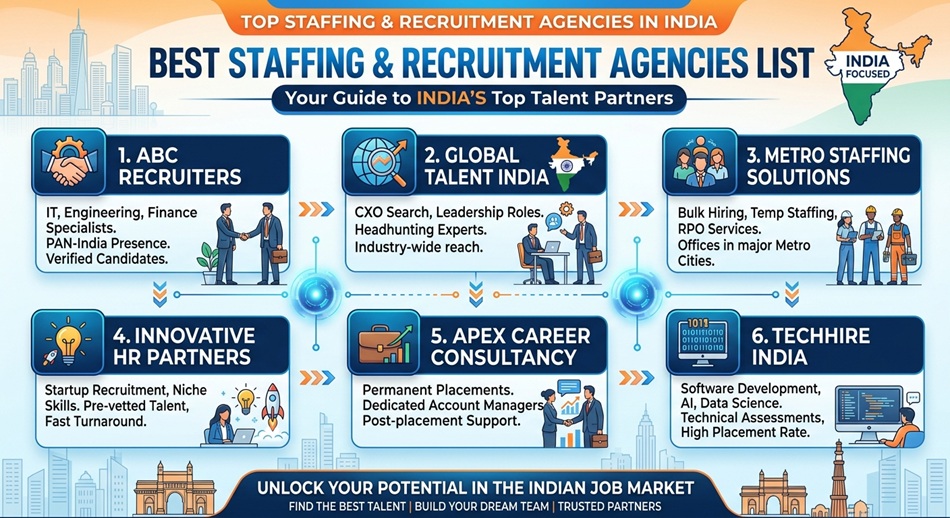
- Best Staffing and Recruitment Agencies in India - September 15, 2026
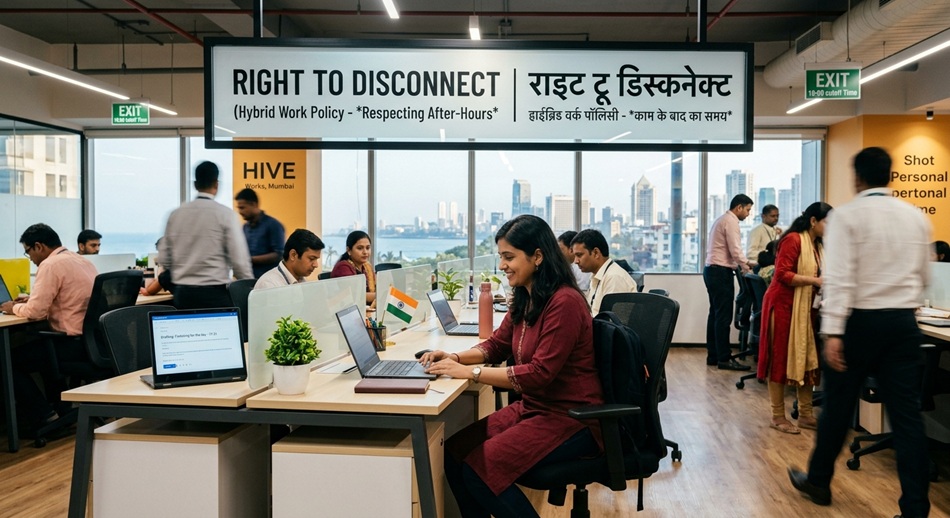
- Right to Disconnect in India: Where the Law Actually Stands - September 15, 2026
- AI in HR and Recruitment: What’s Actually Real in 2026 - September 15, 2026